  1. Posts/

Some Tools to Help Present Git

·416 words·2 mins
Chris Ayers
Author
Chris Ayers
I am a father, nerd, gamer, and speaker.

I’m presenting soon on Advanced Git. I feel a lot of Developers and DevOps engineers know enough git to the job, but sometimes that’s it. I want to help people be more comfortable with the git command-line, and help alleviate some fear or hesitation in dealing with git edge cases.

While researching things, I came across a few neat tools I’m using to help describe things.

GitGraphJS
#

What is great about this tool is that I can draw git commit graphs pretty easily to describe what is happening as you execute commands. It helps create great graphs like this:
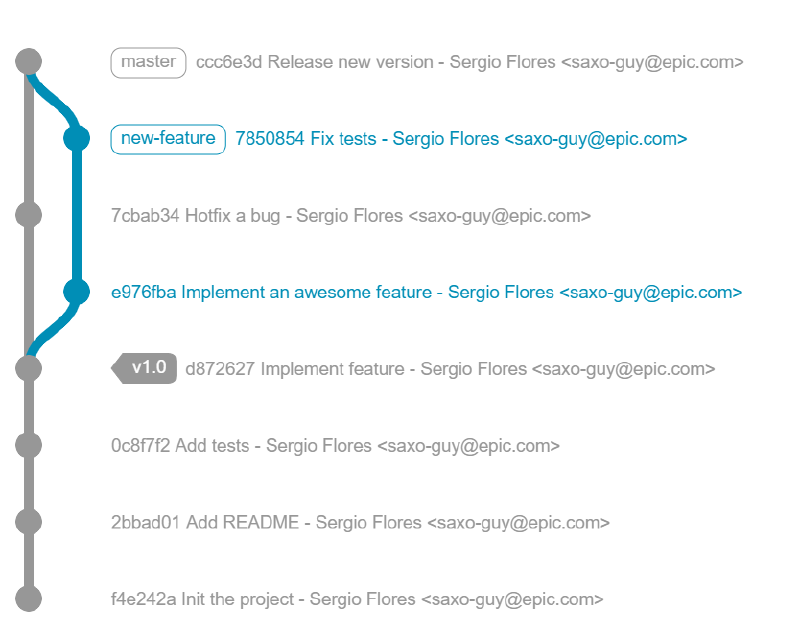
I’ve got a project where i can have each example laid out for discussion, and because its JavaScript, I can change things and show the result easily. This tools is great for slides and lecturing, but I also like having people put hands on keyboards and try things.

Windows Terminal
#

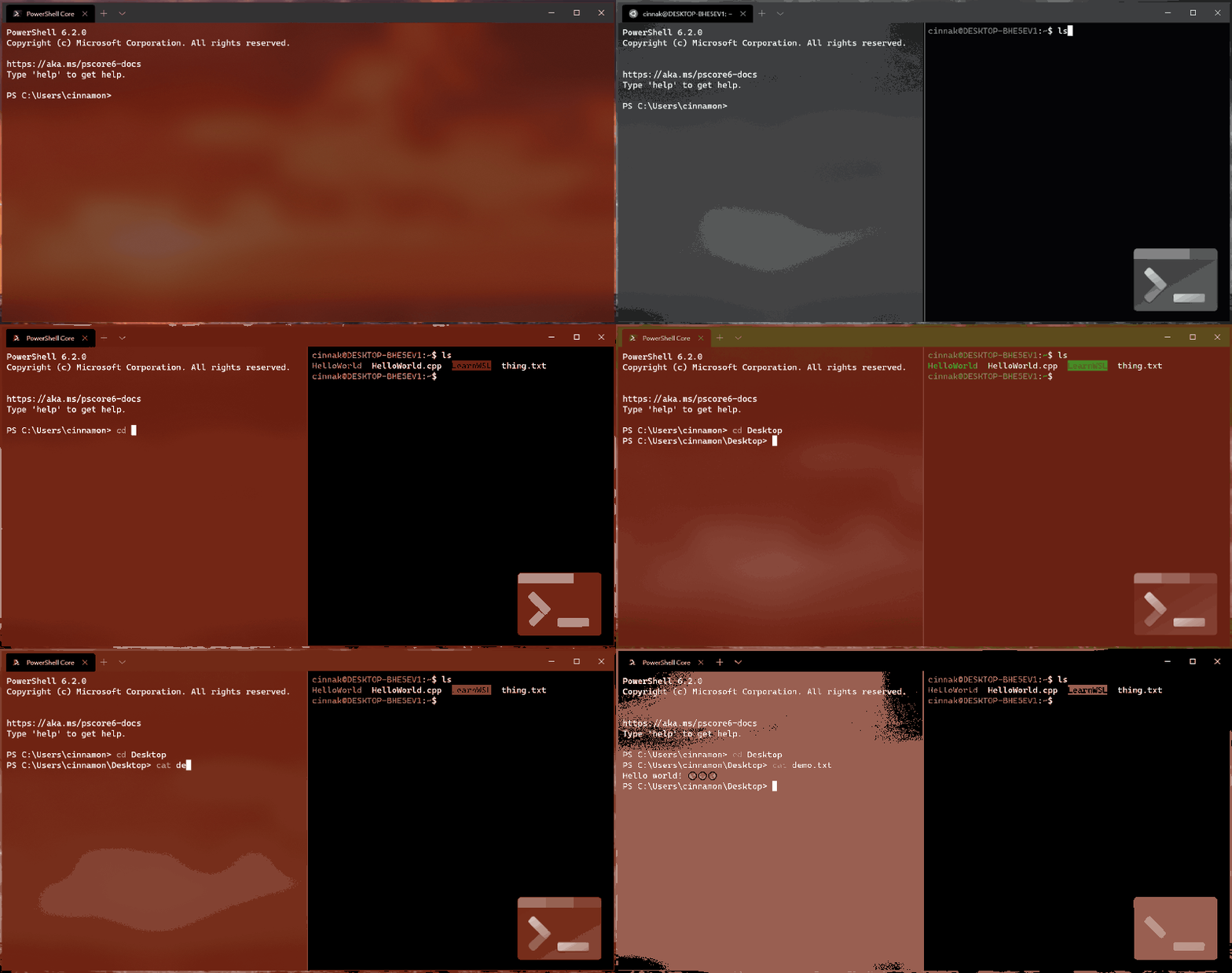
I do a lot of development on windows. CMD.exe isn’t the best experience to use or present with. The same can be said of regular powershell. I’ve leveraged git bash in the past, it works pretty well. But I have completely fallen in love with the Windows Terminal. Multiple profiles (for bash, wsl, powershell, cmd), a great font, and nice scalability, I’ve finally found a nice shell on windows.
Oh My _______
#

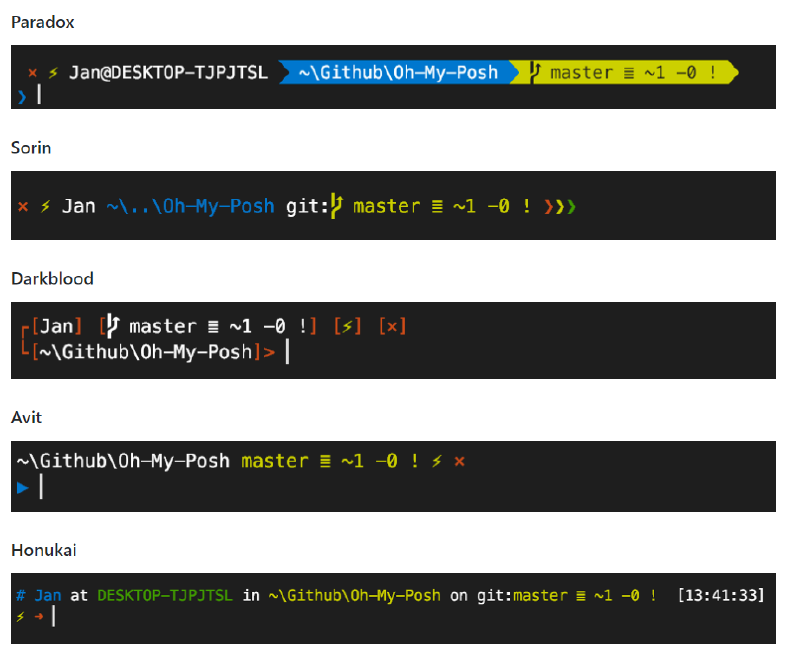
If you aren’t familiar with Oh My Posh (powershell), Oh My Bash (bash), or Oh My Zsh (zsh) please pay attention. These tools add some awareness to your shell experience. If you ‘cd’ into git folders, it can show the branch, how far ahead or behind you are, and many other details. It gives you situational awareness about where you are and your current state. There are also many themes to tweak and customize your command-line.
Git GUIs
#

I don’t use git GUIs in my day to day workflow. I typically interact with git via a command-line. But there are some times when a gui is very helpful. Complex merges and rebases can be made clearer via gui, as well as a clear visualization of the git history. Don’t get me wrong, I can do that via command-line:

git log --pretty=oneline --graph --decorate --all
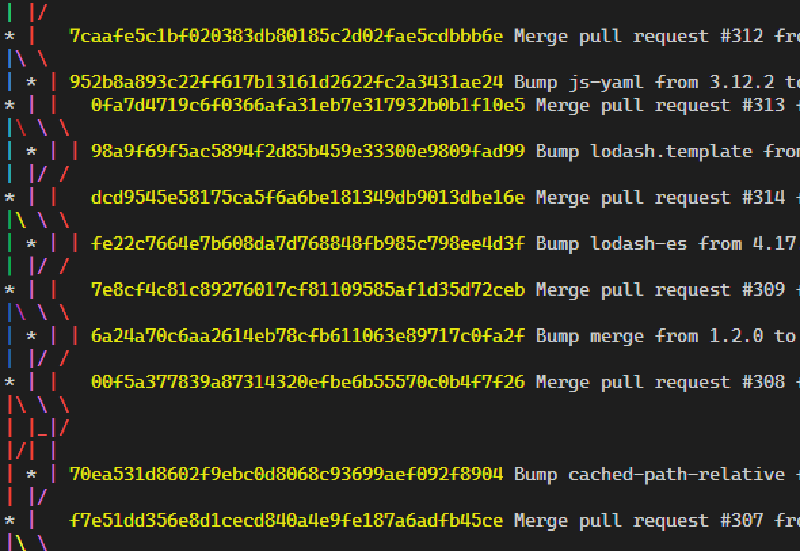
But these tools make it much cleaner, clearer, and prettier.
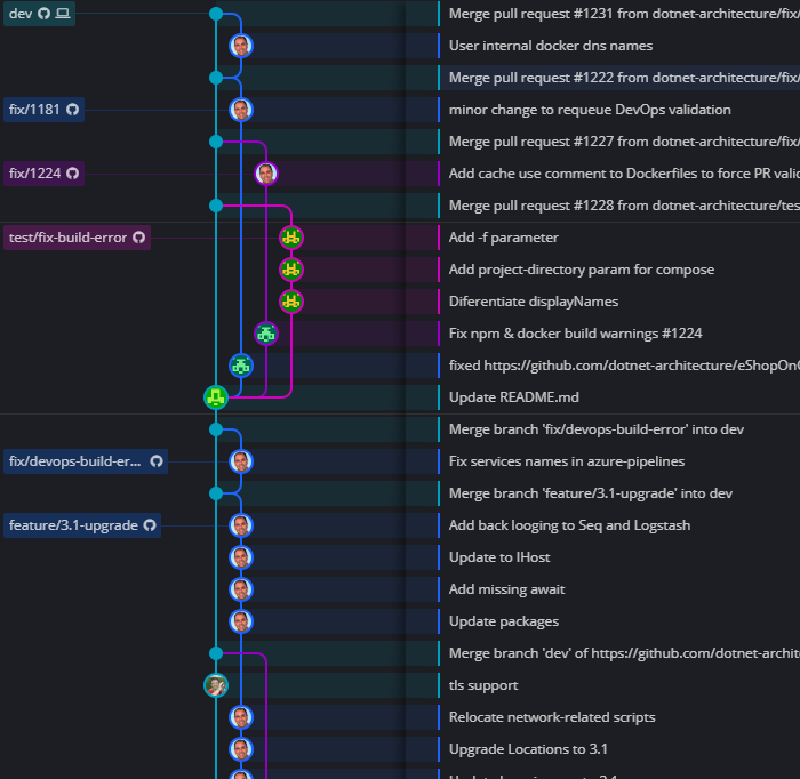
I’m a big fan of tools that help me share ideas more effectively and these are a few that I think will help me explain git state.


Related

ARM - Part 3: Hook up the Pipes

·211 words·1 min
I’ve got a template straight from Microsoft. I want this wired into a CI/CD pipeline to I can play around and get quick feedback. I’m going to use Azure DevOps to help make all this possible. Let’s get those templates into a repository to get started. New repository, initialize it, add new files. Next, I’m going to create a new resource group to play around with my web app resources.

Dependency Injection, Architecture, and Testing

This blog was posted as part of the Third Annual C# Advent. Make sure to check out everyone else’s work when you’re done here Dependency Injection, or DI, is a Software Architecture Design Pattern. DI is something that comes up during discussions on SOLID, IoC (Inversion of Control), testing, and refactoring. I want to speak on each of these briefly because DI touches all of these. But before I really dive into things, I want to define what a dependency is. A dependency is any object that another object requires. So all of those classes, services, and libraries that we use to build our applications are dependencies.

RESTful API Versioning

·505 words·3 mins
I’ve been a developer for a long time, writing APIs and clients to consume them. When an API is around long enough, it needs to change. I’ve versioned APIs in the past using a number of different techniques. Some successful, some painful. Now I realize this discussion is like the VI/Emacs conflict, the Tab/Space wars, and the Spanish Inquisition, but it is a good topic to look at. There are a few main styles when it comes to API versioning:

WSL2, Docker, and Time

·395 words·2 mins
I’m running on a Windows Insider Slow build so that I can leverage WSL 2, the Windows Subsystem for Linux v 2. Its pretty incredible, because there’s now a Linux kernel inside Windows. Ubuntu is fast, its a wonderful development experience all my favorite linux tools. I can’t wait for this to be out of preview this year and in the mainstream windows releases. I’m also using the latest version of Docker Desktop, with WSL2 support. What this means is that instead of using Hyper-V to run a Moby Linux VM, docker runs directly on WSL2. It also has built-in Kubernetes support.