In today’s dynamic software development landscape, every second counts. Maximizing efficiency and ensuring error-free processes are top priorities for developers. GitHub Actions has already revolutionized workflow automation, and the game has just been upped with the introduction of its new Visual Studio Code (VSCode) extension. This article will explore these innovative features, shedding light on how they can supercharge your development workflow.

GitHub Actions: Automating Software Workflows Efficiently#
GitHub Actions stands as one of the most versatile tools in the developer’s toolkit, allowing for comprehensive automation of software workflows. Its strength lies in its seamless integration with GitHub, offering flexible and potent Continuous Integration/Continuous Deployment (CI/CD) capabilities without the reliance on external platforms. This integration ensures that developers can focus on coding while GitHub Actions takes care of the build, test, and deployment processes. From facilitating automated build checks to executing comprehensive test suites and ensuring smooth deployments, GitHub Actions is the one-stop solution for developers looking to enhance their CI/CD workflows.
Uniting VSCode with GitHub: An Enhanced Development Experience#
Visual Studio Code (VSCode) is more than just a lightweight source code editor-it’s a hub that caters to developers’ evolving needs. Its extensive ecosystem of extensions ensures that its capabilities extend far beyond basic editing.
Merging the intuitive features of VSCode with the collaborative and version control strengths of GitHub transforms the development process. This integration allows developers to clone repositories, adjust code, stage commits, and push updates, all within a singular, cohesive environment. The outcome is a workflow designed for maximum efficiency and streamlined operations.
Introducing the New VSCode Extension for GitHub#
The new VSCode extension for GitHub takes this integration a step further, providing you with a set of tools to manage and author workflows directly within your editor. The extension enables you to keep track of your workflows, view the run history, and get instant feedback about your workflow status.
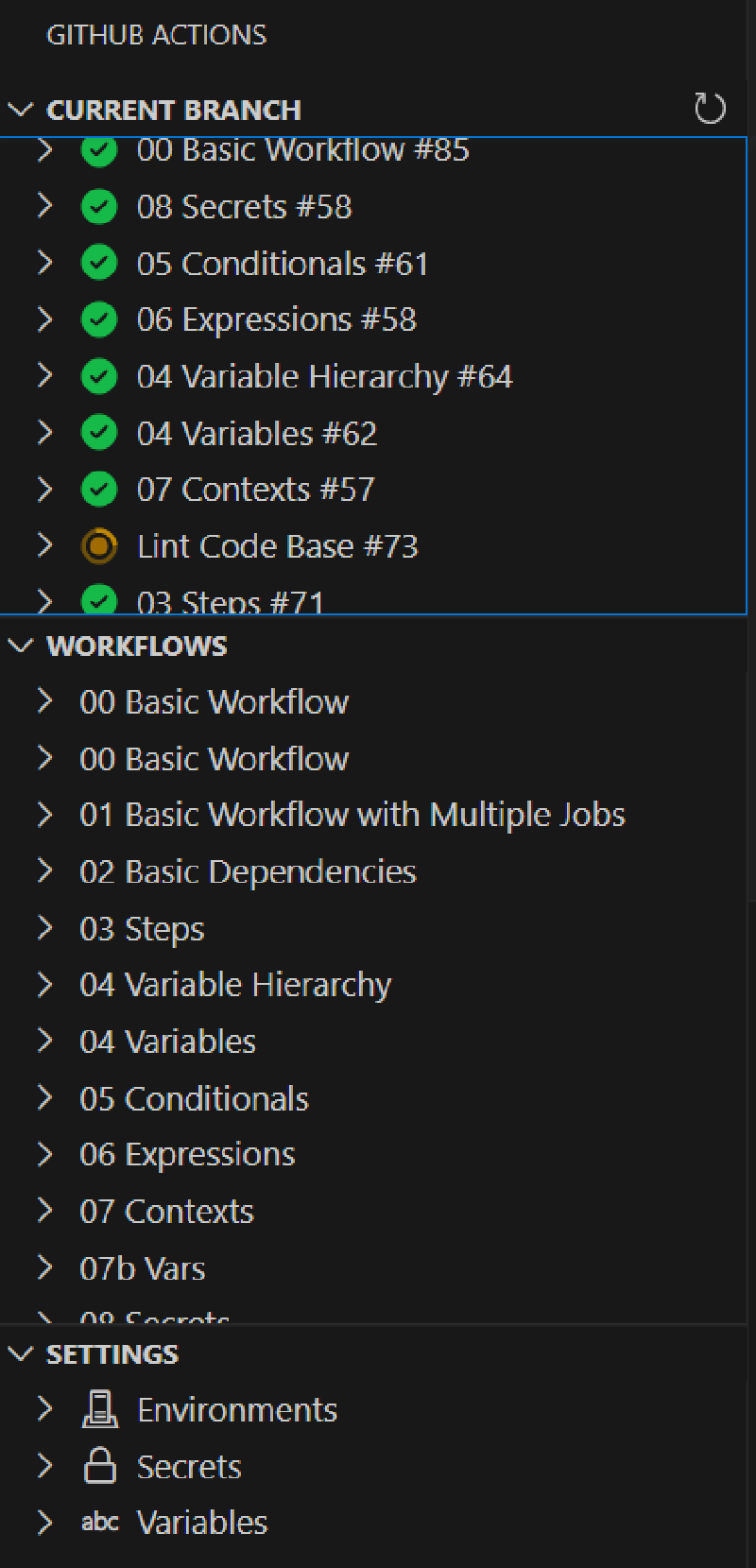
Managing Workflows and Monitoring Workflow Runs#
The new extension provides an interactive interface for managing your workflows. You can monitor the runs for workflows in your repository, cancel and re-run them, or even trigger new ones for manually triggered workflows, all within your editor.
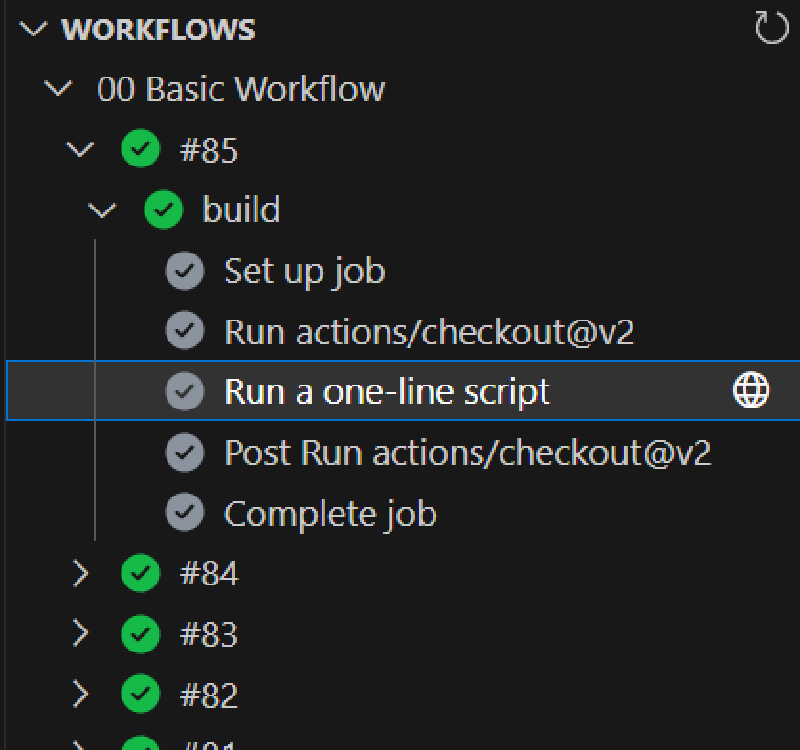
Imagine you have a continuous integration workflow that runs for every pushed branch. You can edit your code, push it to GitHub, and then monitor the status of your workflows directly in VSCode. You can investigate failures by drilling down from runs to jobs to steps and even view logs without having to leave your editor. This immediate feedback allows you to quickly identify and fix issues, enhancing your productivity.
Workflow Authoring#
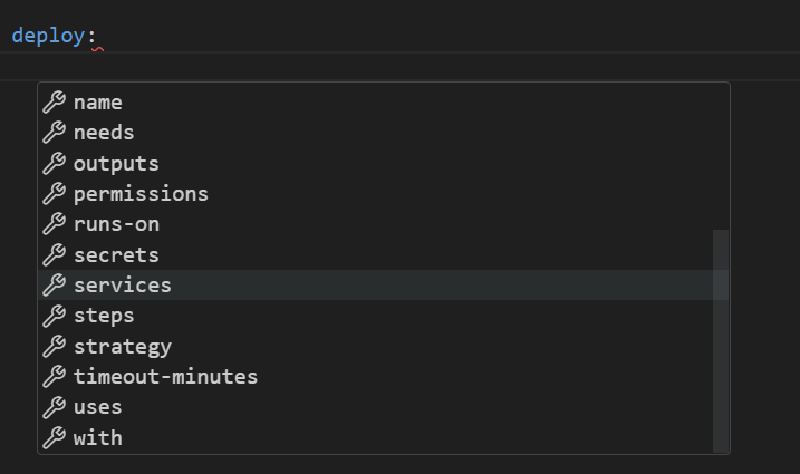
The new VSCode extension for GitHub also significantly improves the process of authoring workflows. It provides syntax highlighting for workflows and expressions, integrated documentation for the workflow schema, expression functions, and even event payloads. This helps reduce the required context switches and speeds up workflow editing.
Streamlined Variable Handling#
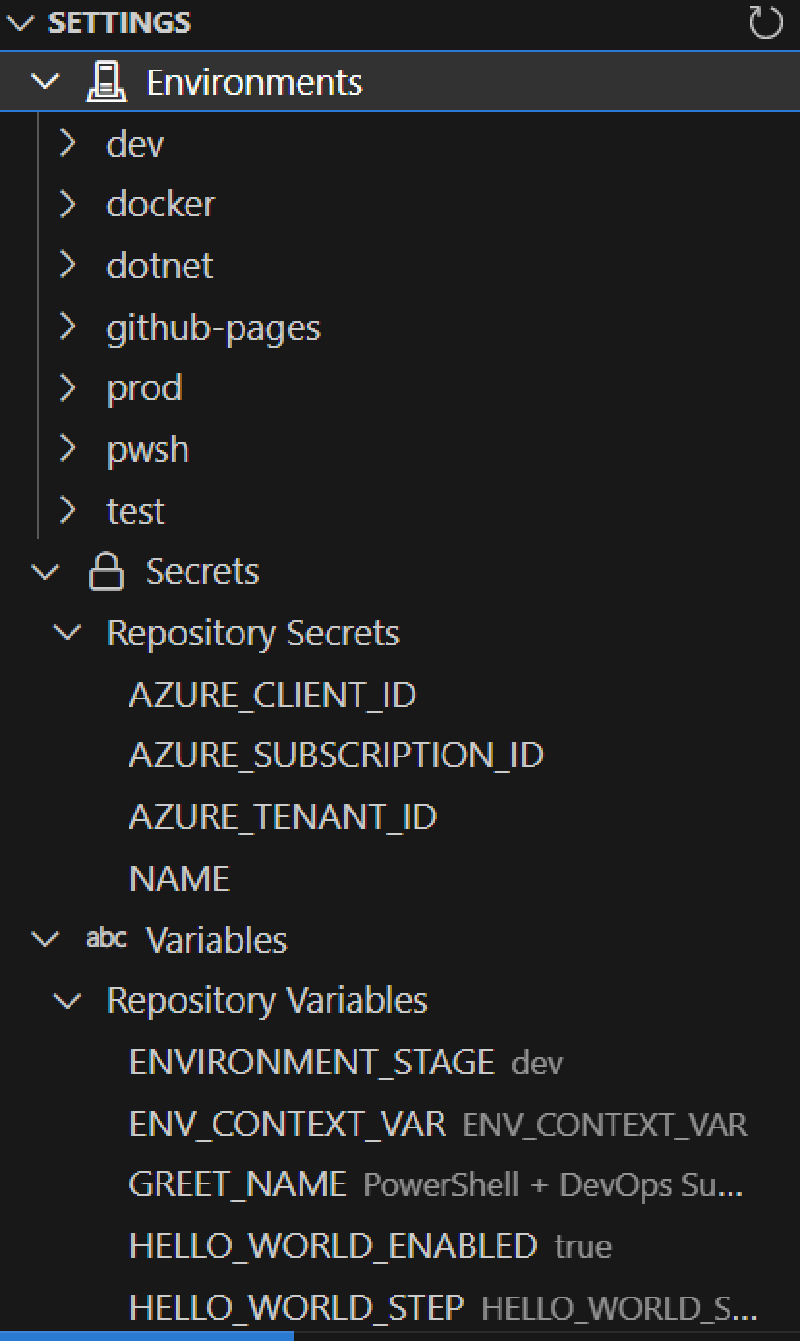
The extension’s simplified interface focuses on easy variable interactions. Whether you’re initiating a fresh workflow or adjusting a current one, adding or editing variables is straightforward.
For example, if you’re working with a deployment workflow that varies based on development stages, you can swiftly toggle between ‘development’, ‘staging’, or ‘production’ settings using defined variables. By making these adjustments directly in VSCode, you ensure that your workflows can adapt to different conditions without diving deep into complex configurations.
Conclusion#
Combining GitHub Actions with VSCode simplifies a developer’s workflow, making it easier to manage and run projects. The new VSCode extension for GitHub is like adding a Swiss army knife to your toolset, allowing you to tackle various tasks in one place. This not only streamlines the coding process but also ensures that developers can easily adapt to new challenges. In essence, with these tools hand in hand, we’re better equipped for the future of software development.