I haven’t done a lot with jekyll in the past, but I’m a big fan of Markdown everything. For me that usually means I’m taking notes in Markdown Obsidian, doing diagrams in mermaid in Azure DevOps or https://mermaid.live/. I’ve even started turning my talk slides into Markdown with a tool called MARP.
Understanding when I use standard Markdown or some sort of templating language (jekyll uses Liquid) has been fun. I’ll do something in HTML or Markdown, then find out that Jekyll or my theme already has helpers to render that (like gists, videos, and figures). Sometimes rendering more advanced things takes a little tweaking of Jekyll and the theme.
Lets take Mermaid for example. If I want to render mermaid, it won’t work out of the box with jekyll or my theme. I need to tweak things and initialize things manually. If I want to render a graph, this won’t work out of the box.
    '''mermaid
    graph TD;
        A-->B;
        A-->C;
        B-->D;
        C-->D;
    '''
So to make it work, I had to override the base theme. To start, I looked at the themes layouts. They live in the _layout folder of the theme on GitHub. These are the base structure of a page and most reference either Archive or Default.
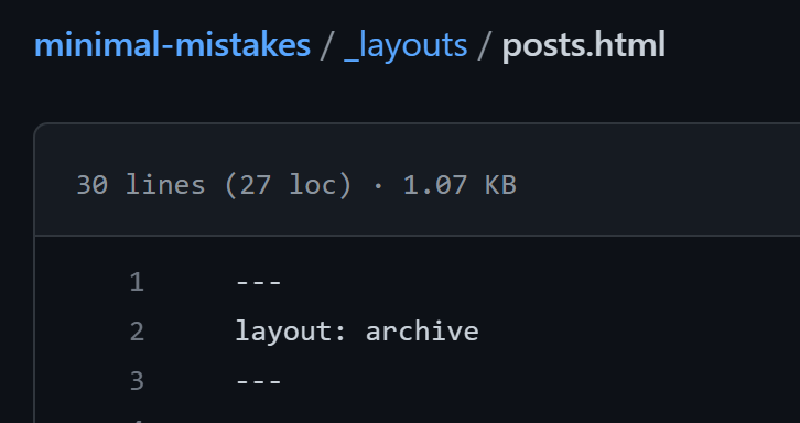
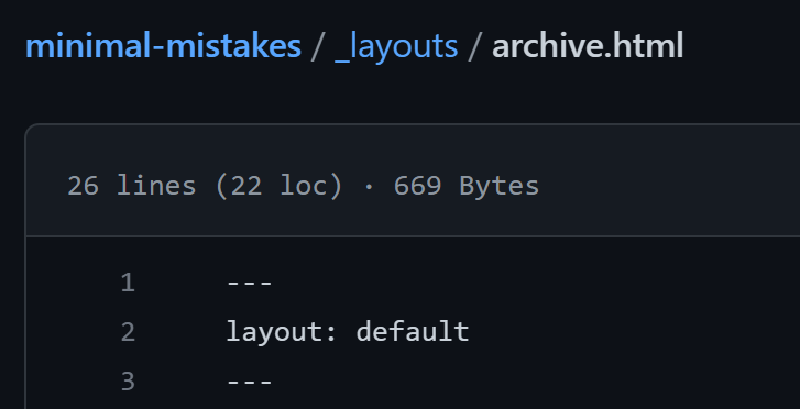
Fortunately Archive also refers to Default so I can focus my changes there if I want to override it.
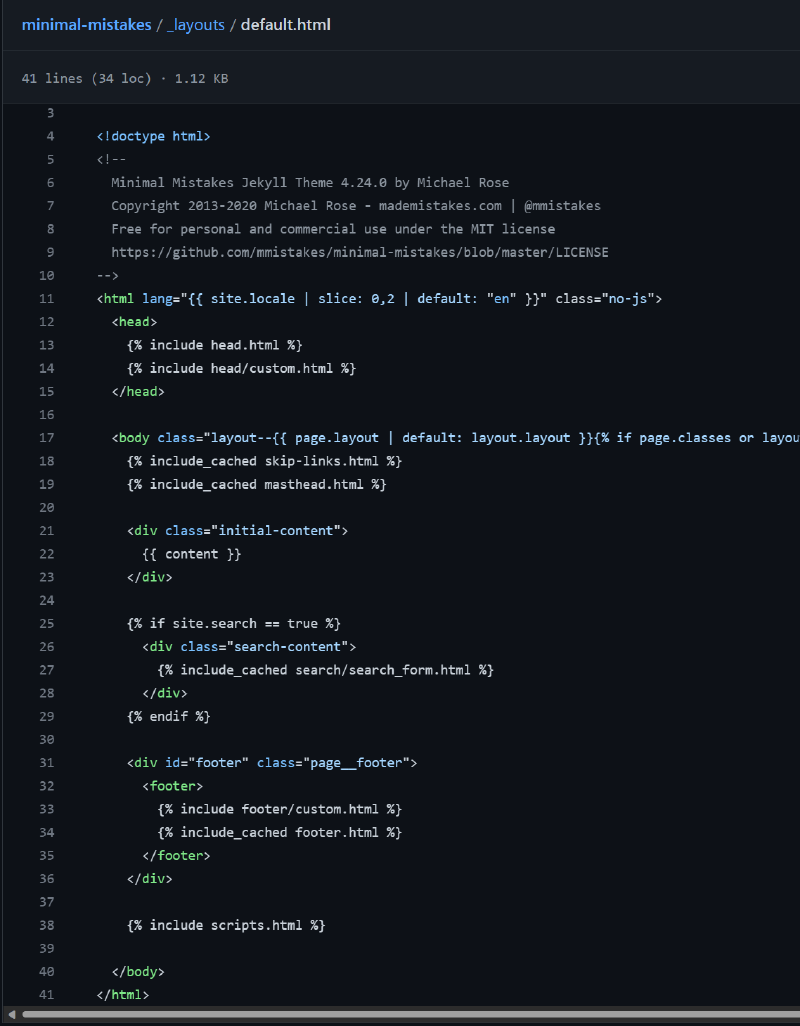
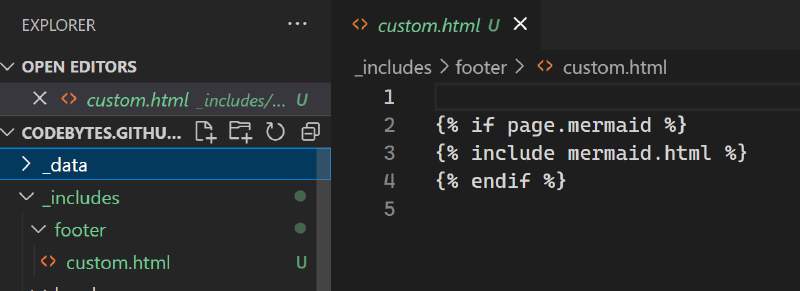
Looking at this file, there are a few includes defined. One of which is the footer/custom.html and one is scripts.html. I looked through the scripts.html and it has a lot of logic I’d prefer not to duplicate. I’m already using the header-custom file to define some css/scripts. I’ve found Mermaid needs its init to run in the body, so i’ll probably want to leverage the footer/custom.html for this. It’s an empty file in the theme, making it any easy choice to override.
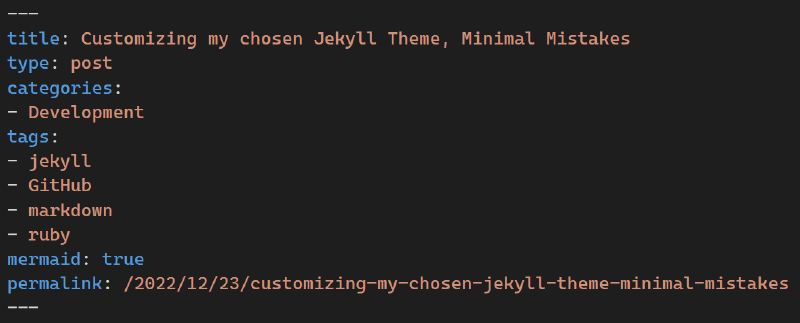
I created a footer folder in my local project _includes and a custom.html file. I added some simple logic to only add the mermaid logic if I added a mermaid:true flag at the top of the page.
So lets set that!
At this point, everything should work and embedded mermaid in my Markdown posts renders properly!
graph TD;
    A-->B;
    A-->C;
    B-->D;
    C-->D;
I’ve done a few other minor customizations so far. Like adding some custom CSS and some JavaScript for app insights. Both of those involved a similar process of adding head/custom.html and assets/css/custom.css.
I used a few different sources to get things to work for me. Please check those out as well to see if they can help you:
- https://it-journey.dev/docs/jekyll-diagram-with-mermaid
- https://github.com/jasonbellamy/jekyll-mermaid
- https://jojozhuang.github.io/tutorial/jekyll-diagram-with-mermaid
- https://github.com/kitian616/jekyll-TeXt-theme/blob/master/_includes/markdown-enhancements/mermaid.html
- https://stackoverflow.com/questions/53883747/how-to-make-github-pages-markdown-support-mermaid-diagram
- https://github.com/mtrienis/jekyll-mermaid-blog
Thanks for following along on this journey. I hope this helps those starting their Jekyll journey or hosting on GitHub Pages.